

Technical Specifications

Description

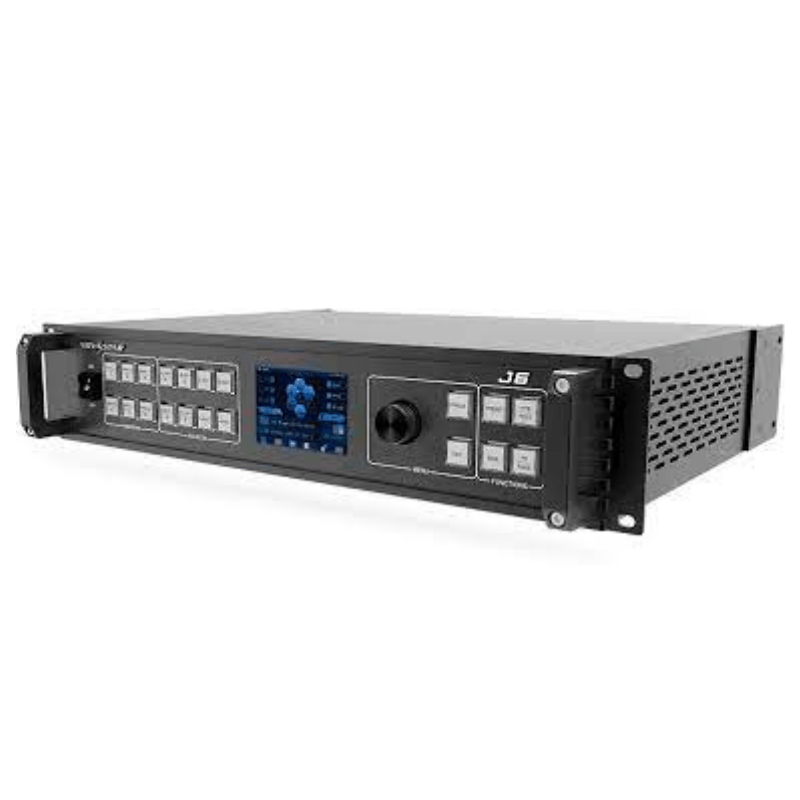
Based on powerful FPGA platform, the J6 supports input and output EDID management and color adjustment, seamless transition of a variety of input sources, as well as fade and other transition effects, bringing you a more flexible and rich visual experience.

What's more, the J6 is equipped with NovaStar V-Can smart control software and C1 event controller, allowing for a rich screen mosaic effect via V-Can, C1 or front panel operations.

With excellent image quality, ultra-large loading capacity and flexible operation modes, the J6 can be widely used in conference reports, exhibition centers, stage control and otherapplication scenarios.

Key Features:

  • Compatible with industry-standard video input connectors− DVI connector: 1920×1080@60Hz input− HDMI 1.3 connector: 1920×1080@60Hz input− 3G-SDI connector: 1920×1080@60Hz input− DP 1.1 connector: 4K×2K@30Hz input− HDMI 1.4 connector: 4K×2K@30Hz input
  • 4 groups (2 connectors in each group) of DVI output connectors of a single J6 unit for mosaic outputEach group includes a main connector and a backup connector. A maximum of 4 connectors can be used for mosaic output. The mosaic layout can be 4×1, 1×4 or 2×2. The maximum loading capacity can reach 9,200,000 pixels and the maximum mosaic width can be up to 15360 pixels.
  • Dual system modesThe J6 supports both Splicer and Switcher modes, which can meet different application requirements.
  • Multiple layer displayThe J6 supports up to six 4K×2K layers with random layout. Each layer supports cross connector output.
  • HDMI connector for output monitoring− Supports monitoring of a single input source, PVW or PGM.− Supports monitoring of all input sources, PVW and PGM.− Supports displaying of input resolution and refresh rate.
  • Display control functionAllows you to black out or freeze the screen by simply clicking one button.
  • EDID managementSupports input resolution management for DVI, HDMI and DP connectors.
  • Transition effectsIn Splicer mode, the J6 supports setting of transition effect for source switching. In Switcher mode, the J6 supports setting of Take effect and effect duration.
  • BKG capturingIn Switcher mode, the J6 supports capturing of input source and PGM, and the captured image can be used as BKG.
  • BKG settingsIn Switcher mode, the J6 supports both image BKG and pure color BKG. You can save at most 6 BKG images.
  • Input color, layer color and output color adjustable
  • Preset managementYou can create at most 10 custom presets and load the preset simply by clicking one button.
  • Layer layout managementThe J6 is built-in with 7 layer layouts. You can load one of the layer layouts to quickly lay out the layers.
  • Multiple operation modesYou can operate the J6 via its front panel, the V-Can smart control software or C1 event controller.
  • Visualized color LCD screen and distinct button indicators on front panel, simplifying system control operations