

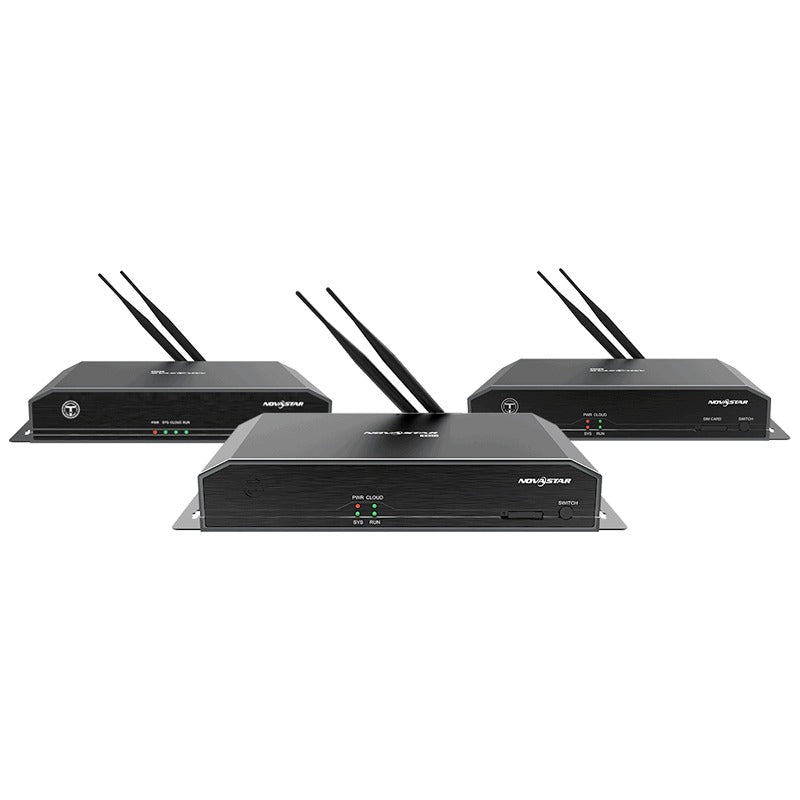
Technical Specifications

Description

Support for multi-screen synchronous playback and synchronous and asynchronous modes makes this multimedia player a perfect fit for a wide range of applications.

Thanks to its reliability, ease of use, and intelligent control, the TB50 becomes a winning choice for commercial LED displays and smart city applications such as fixed displays, lamp-post displays, chain store displays, advertisement players, mirror displays, retail store displays, door head displays, shelf displays, and much more.

Key Features:

  • Output
  • Loading capacity up to 1,300,000 pixelsMaximum width: 4096 pixelsMaximum height: 4096 pixels
  • 2x Gigabit Ethernet portsThese two ports serve as primary by default.Users can also set one as primary and the other as backup.
  • 1x Stereo audio connectorThe audio sample rate of the internal source is fixed at 48 kHz. The audio sample rate of the external source supports 32 kHz, 44.1 kHz, or 48 kHz. If NovaStar’s multifunction card is used for audio output, audio with a sample rate of 48 kHz is required.
  • 1x HDMI 1.4 connectorMaximum output: 1080p@60Hz, support for HDMI loopInput
  • 1x HDMI 1.4 connectorIn synchronous mode, video sources input from this connector can be scaled to fit the entire screen automatically.
  • 2x sensor connectorsConnect to brightness sensors or temperature and humidity sensors.Control
  • 1x USB 3.0 (Type A) portAllows for USB playback and firmware upgrade over USB.
  • 1x USB (Type B) portConnects to the control computer for content publishing and screen control.
  • 1x Gigabit Ethernet portConnects to the control computer, a LAN or public network for content publishing and screen control.Performance
  • Powerful processing capacity− Quad-core ARM A55 processor @1.8 GHz− Support for H.264/H.265 4K@60Hz video decoding− 1 GB of onboard RAM− 16 GB of internal storage
  • Flawless playback2x 4K, 6x 1080p, 10x 720p, or 20x 360p video playbackFunctionality
  • All-round control plans− Enables users to publish content and control screens from a computer, mobilephone, or tablet.− Allows users to publish content and control screens from anywhere, anytime.− Allows users to monitor screens from anywhere, anytime.
  • Switching between Wi-Fi AP and Wi-Fi STA− In Wi-Fi AP mode, the user terminal connects to the built-in Wi-Fi hotspot of the TB50. The default SSID is “AP+Last 8 digits of SN” and the default password is “12345678”.− In Wi-Fi STA mode, the user terminal and the TB50 are connected to the Wi-Fi hotspot of a router.
  • Synchronous and asynchronous modes− In asynchronous mode, the internal video source works.− In synchronous mode, the video source input from the HDMI connector works.
  • Synchronous playback across multiple screens− NTP time synchronization− GPS time synchronization (The specified 4G module must be installed.)− RF time synchronization (The specified RF module must be installed.)
  • Support for 4G modulesThe TB50 ships without a 4G module. Users have to purchase 4G modules separately if needed.Network connection priority: Wired network > WiFi network > 4G networkWhen multiple types of networks are available, the TB50 will choose a signal automatically according to the priority.